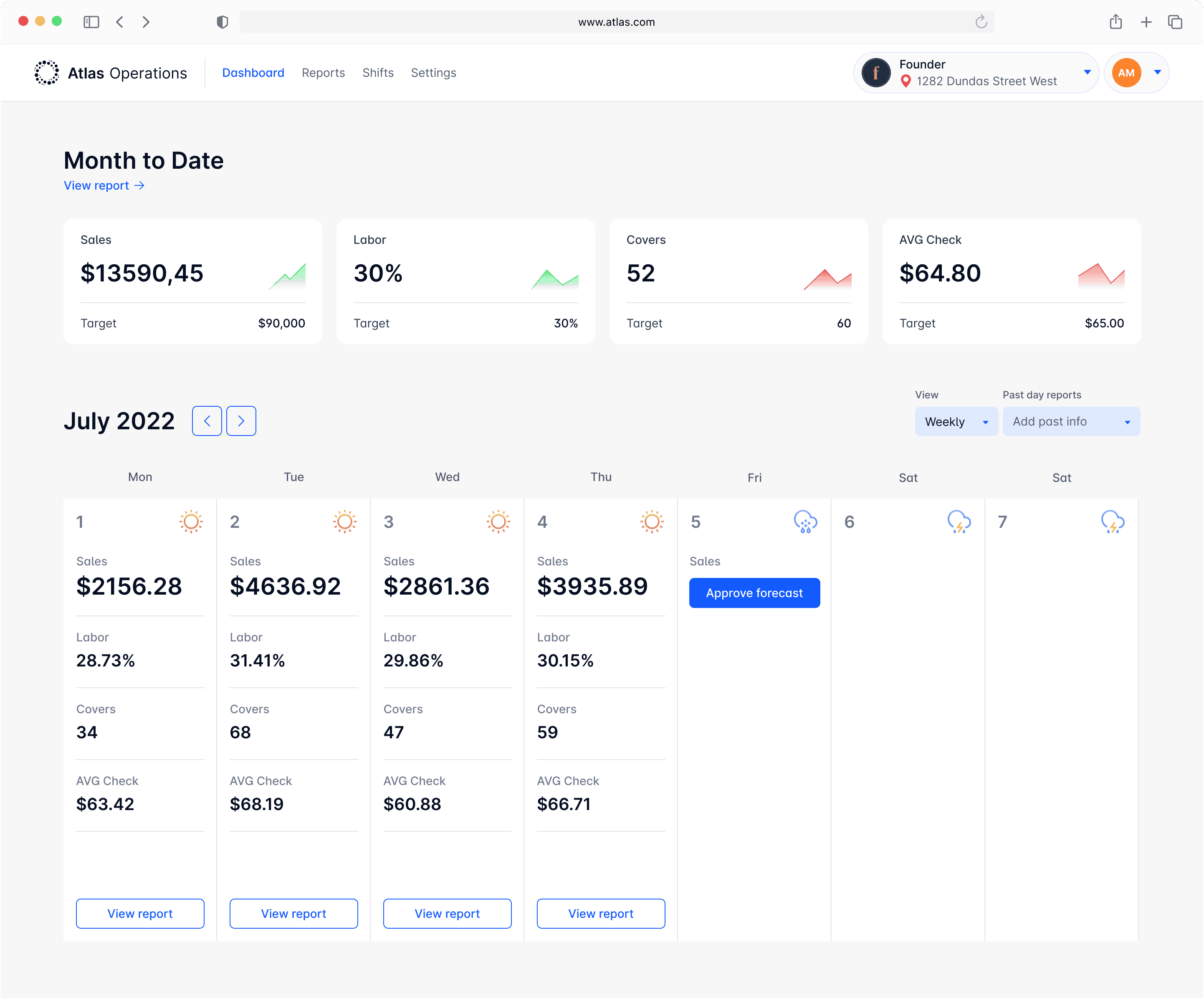
A centralized hub that brings together data from your POS, scheduling, reservations, purchasing, and tip management systems - making restaurant management effortless.
Role:
Senior Product Designer
Canada,Toronto
Date:
2022-2023
#
UX Design
#
UI Design
#
Product Design
#
SaaS
#
Interaction Design
#
Mobile Design
#
Design Systems
#
Data Visualisation
01. Problem Space
Effective restaurant management involves coordinating multiple operations, which can often lead to losses due to inefficiencies in the process.

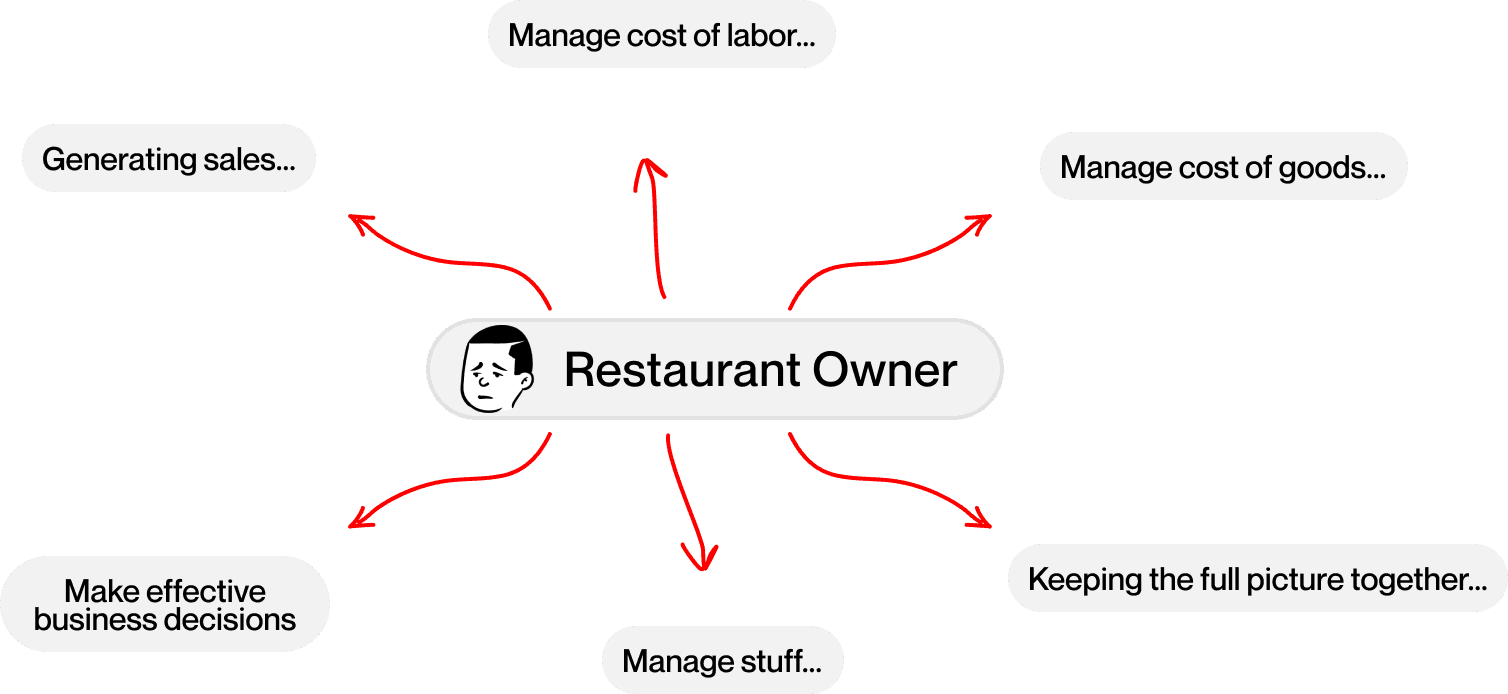

This is John, a restaurant owner, and he is overwhelmed with the amount of information he needs to handle.
Solution
A centralized hub that brings together data from your POS, scheduling, reservations, purchasing, and tip management systems - making restaurant management effortless.
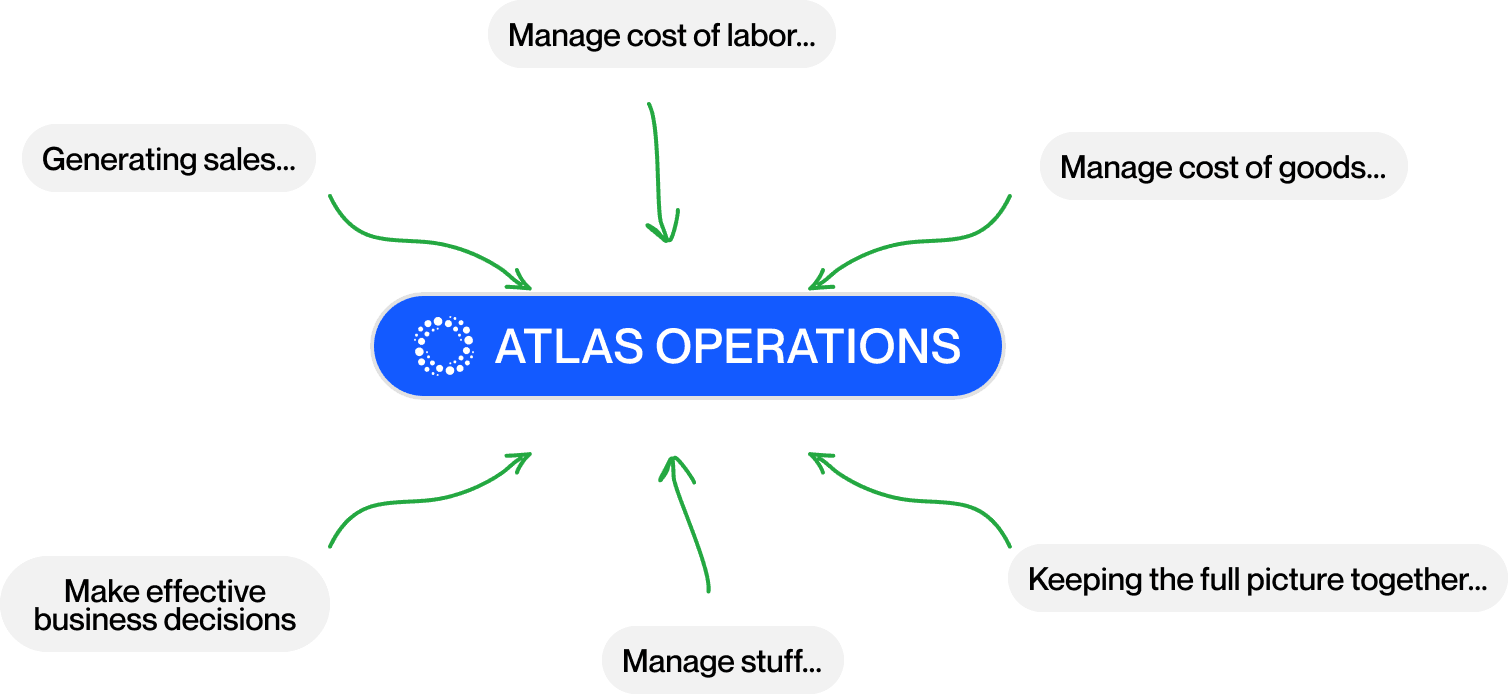

You see? John feels happier now with Atlas Operations.
02. Design process
Brief & Research
I worked closely with product owners to gain a clear understanding of the product, the target users, the challenges, and to establish well-defined goals for what we aimed to achieve.
Wireframing & Prototyping
With the initial insights in hand, I began creating wireframes and prototypes aligned with the goals we set earlier.
De-risking
After developing a concept, we held sessions with product owners to ensure the design effectively addressed the problem. If necessary, I iterated on the wireframes to refine the solution.
UI Design
Once the concept was validated, I proceeded to develop a polished high-fidelity UI design and worked on building and maintaining the design system.
Hand-off & Developer Support
After finalizing the UI, I handed it off to the development team, providing ongoing support throughout the implementation process.
3. Service Components
What is it?
ATLAS Operations has four core components that create the online service. Let’s discuss the challenges to better understand the UX behind them.
3.1 Monthly Planner

John
Owner
A powerful tool that enables leadership to clearly communicate key targets to managers and frontline operators.
Designer Note
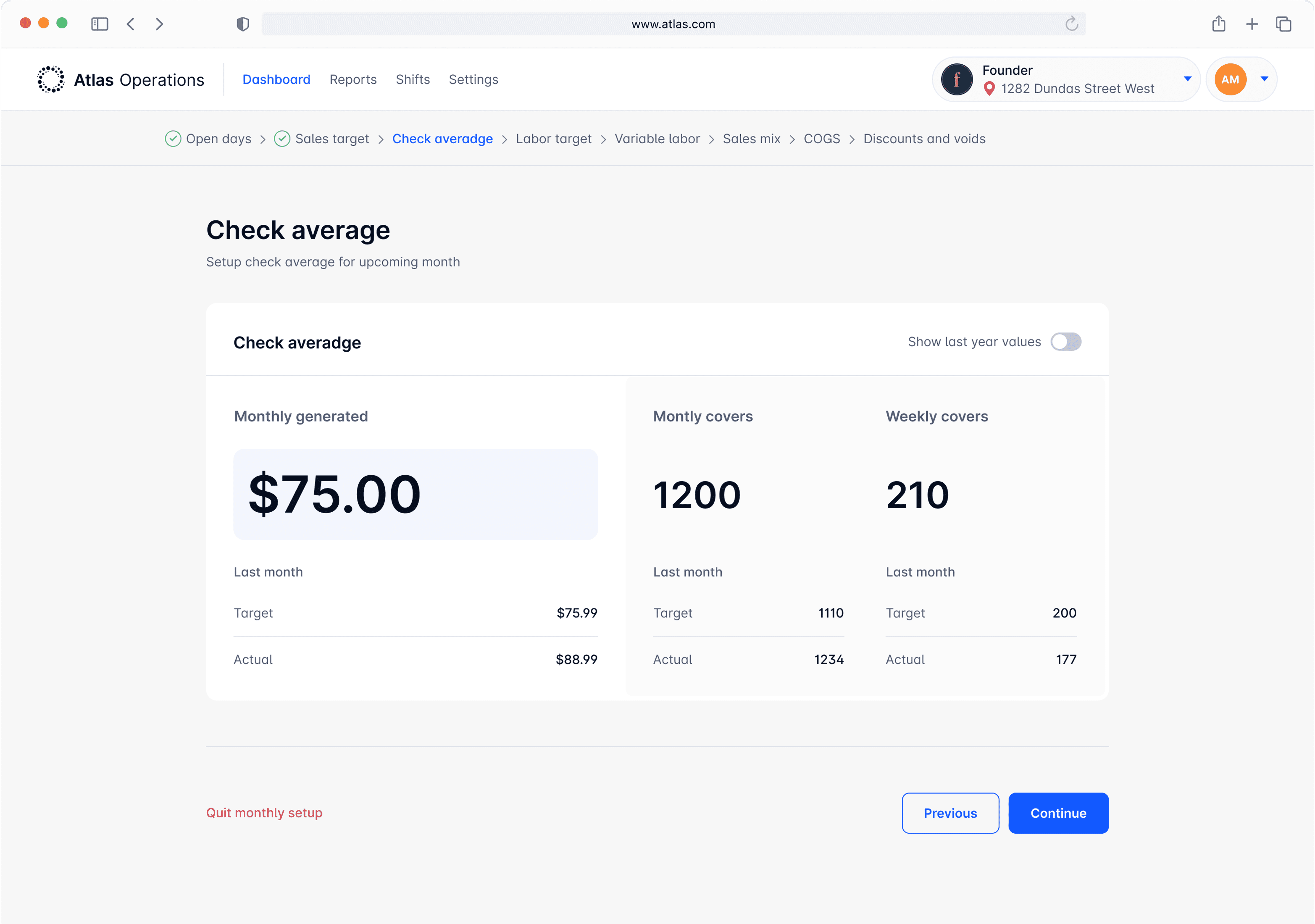
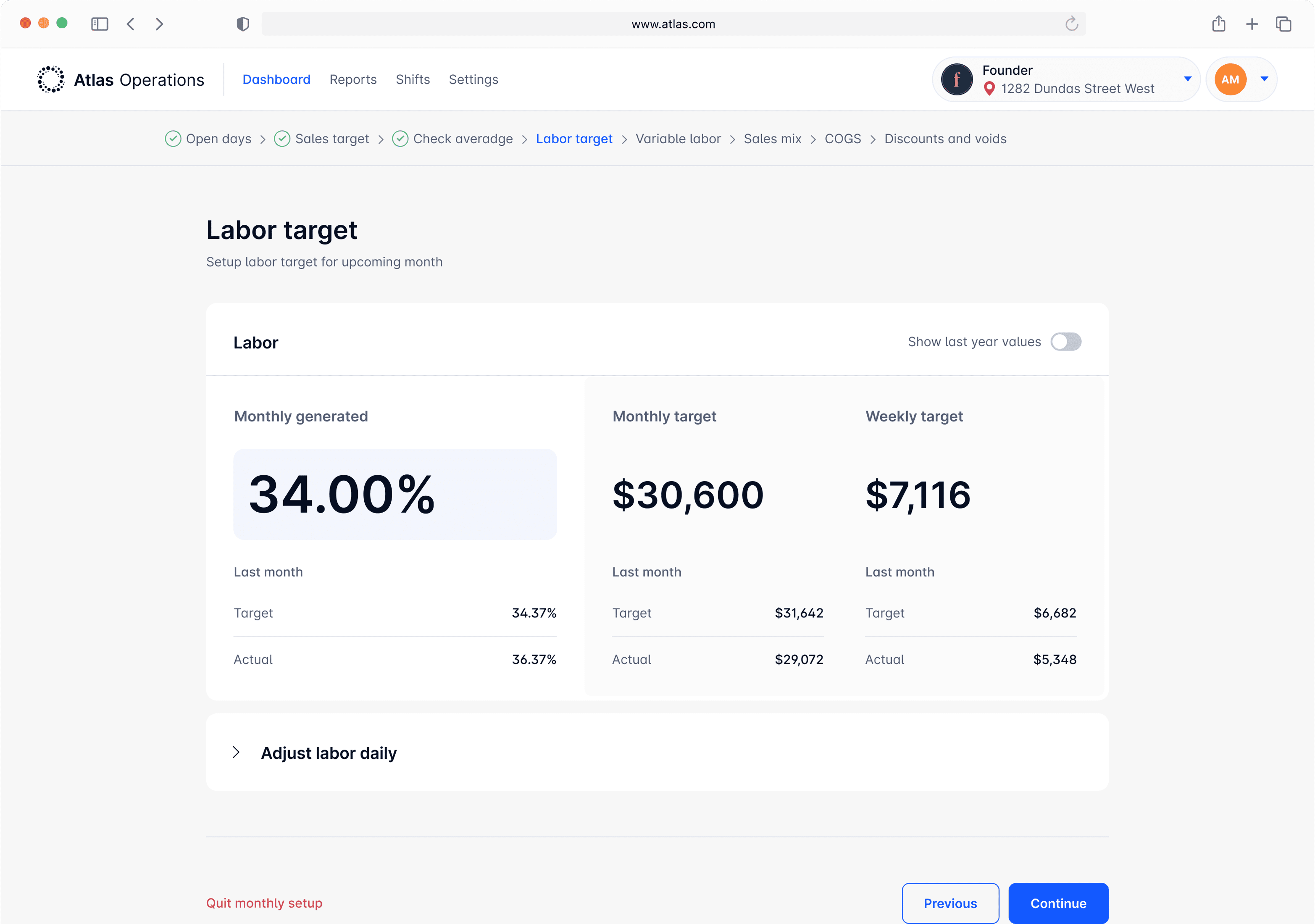
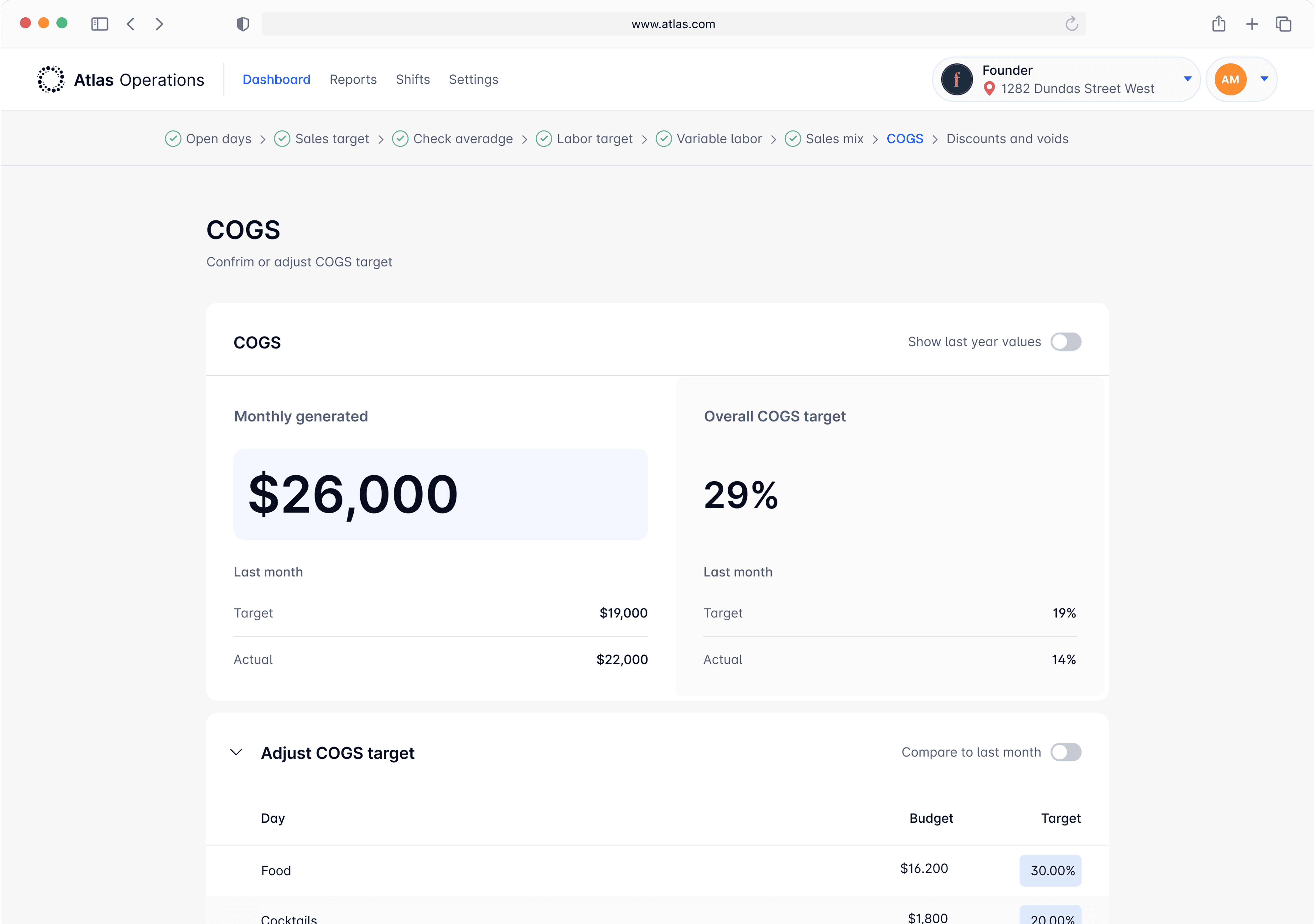
The Monthly Planner uses a wizard interface to guide the business owner through setting multiple targets for different areas of the restaurant in simple, manageable steps.

Fig 3.1 - Monthly Planner Wizard, UX Mockup
Designer Note
The main challenge with the Monthly Planner was prioritizing information within each step to keep the process intuitive and natural, despite its straightforward flow.
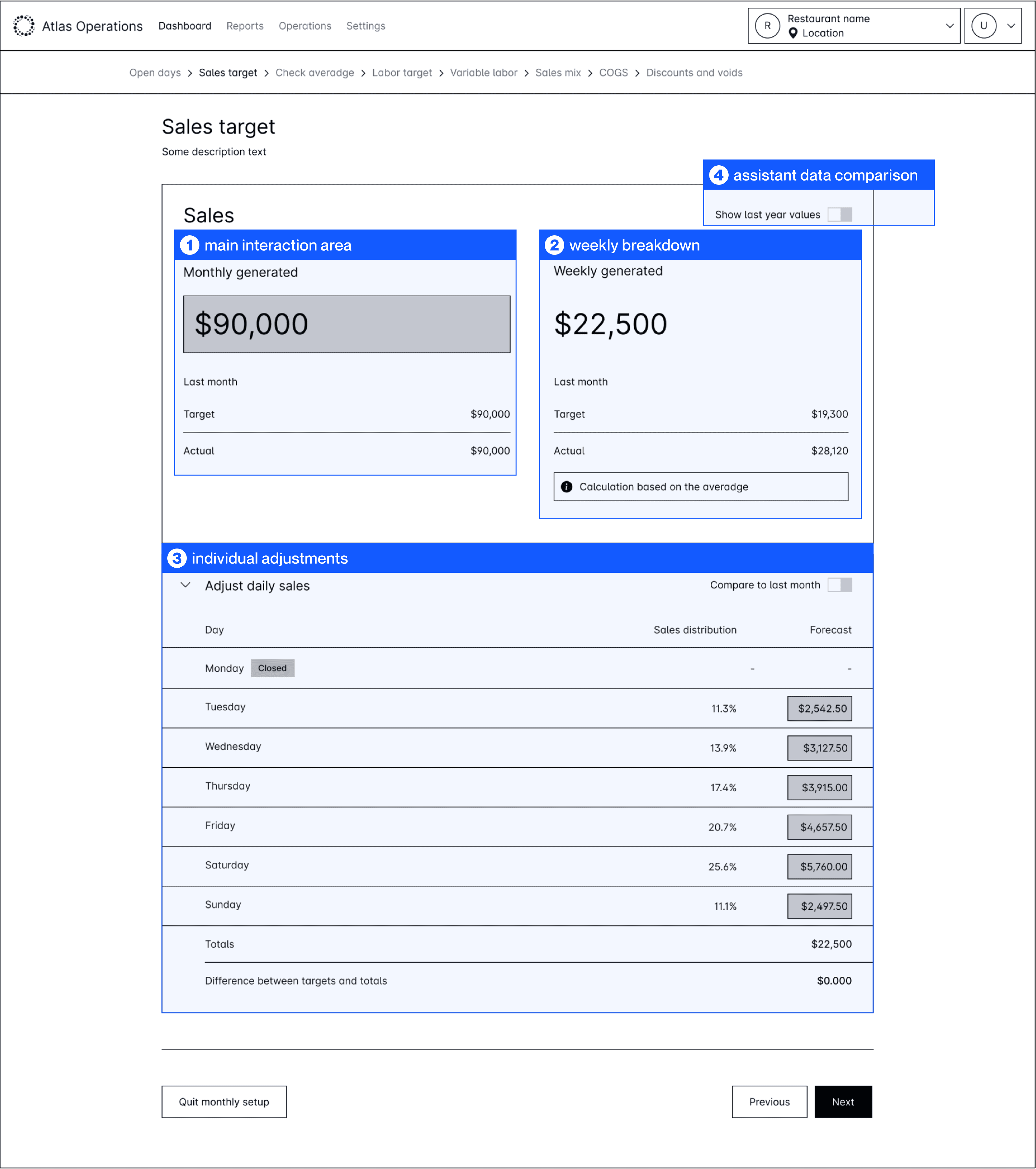
Fig 3.1.2 - Monthly Planner, Sales, UX Mockup
1
main interaction area
The main input area where the user sets their desired value for the upcoming month.
2
weekly breakdown
Atlas breaks the monthly target into weekly goals and adds last month's data to support better decisions.
3
Since factors like holidays, weekdays, and weather affect restaurant sales, users can tweak daily targets to better match real-world conditions.
4
assistant data comparison
A toggle lets users compare daily plans to last month and monthly targets to the same month last year for better decisions.
Designer Note
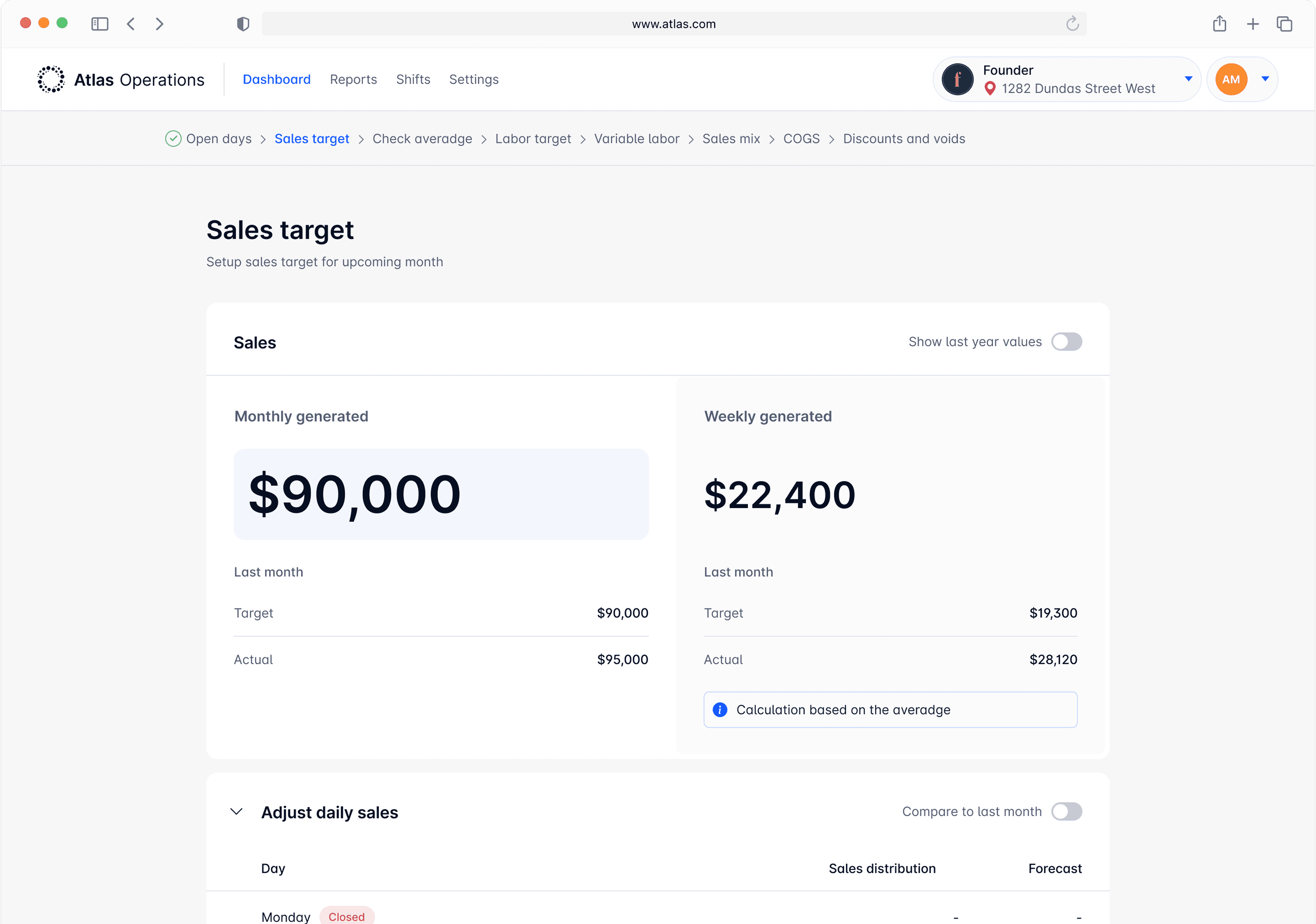
This information architecture was applied across all steps to keep the experience smooth and consistent.
3.2 Day-to-day activities

Ashley
Manager
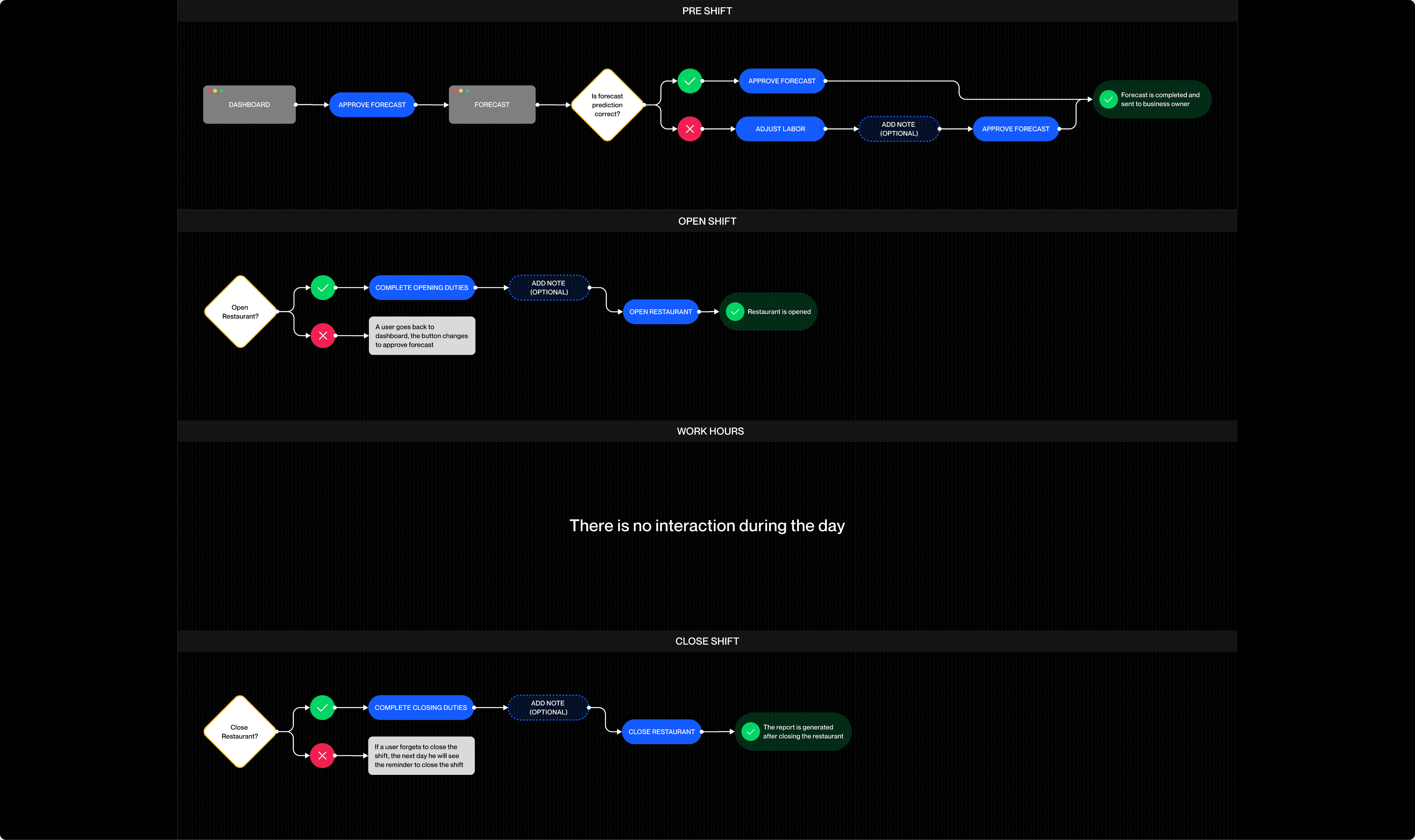
After the monthly setup is completed by the restaurant owner (John), the manager (Ashley) can begin her day-to-day activities.
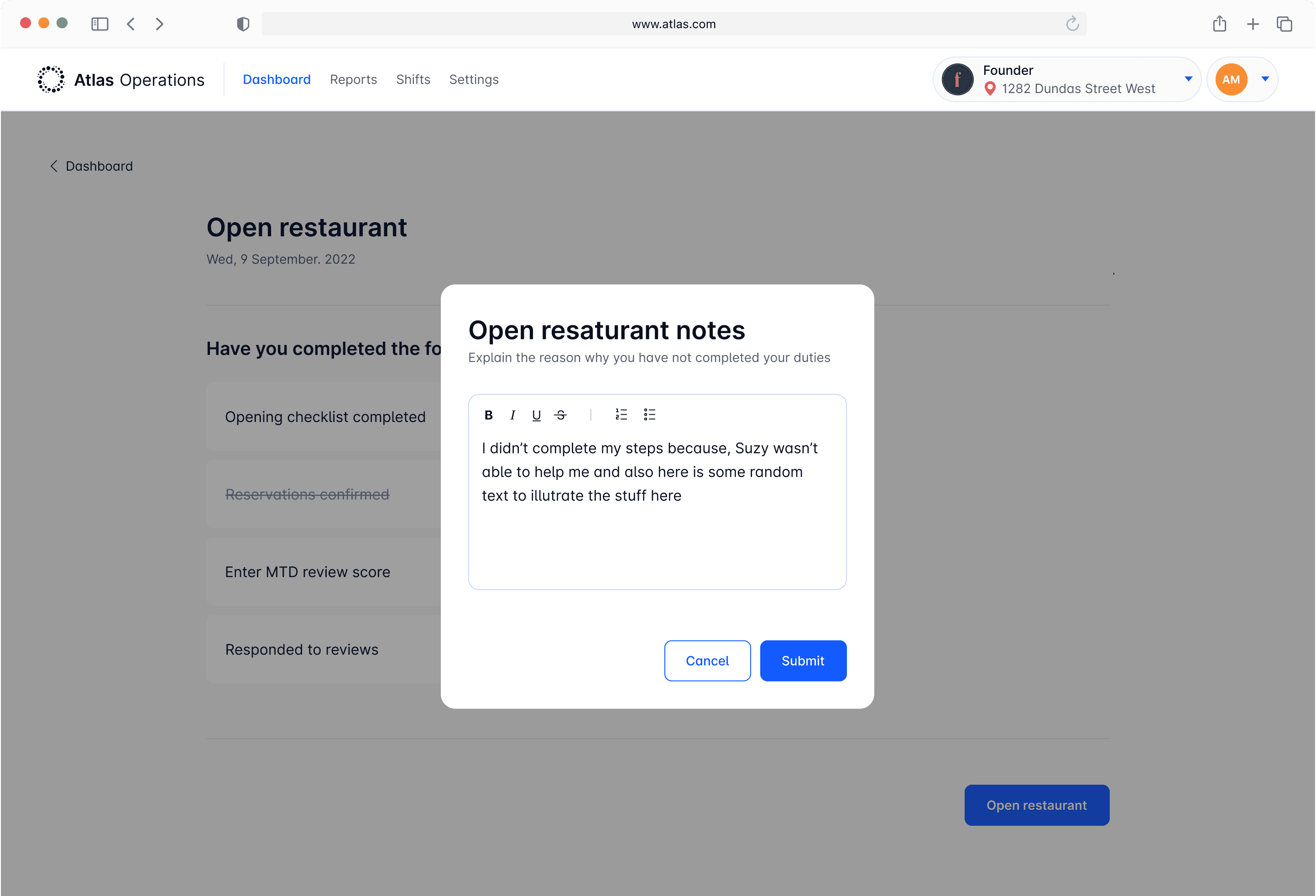
There are three core activities a manager needs to perform during the workday:
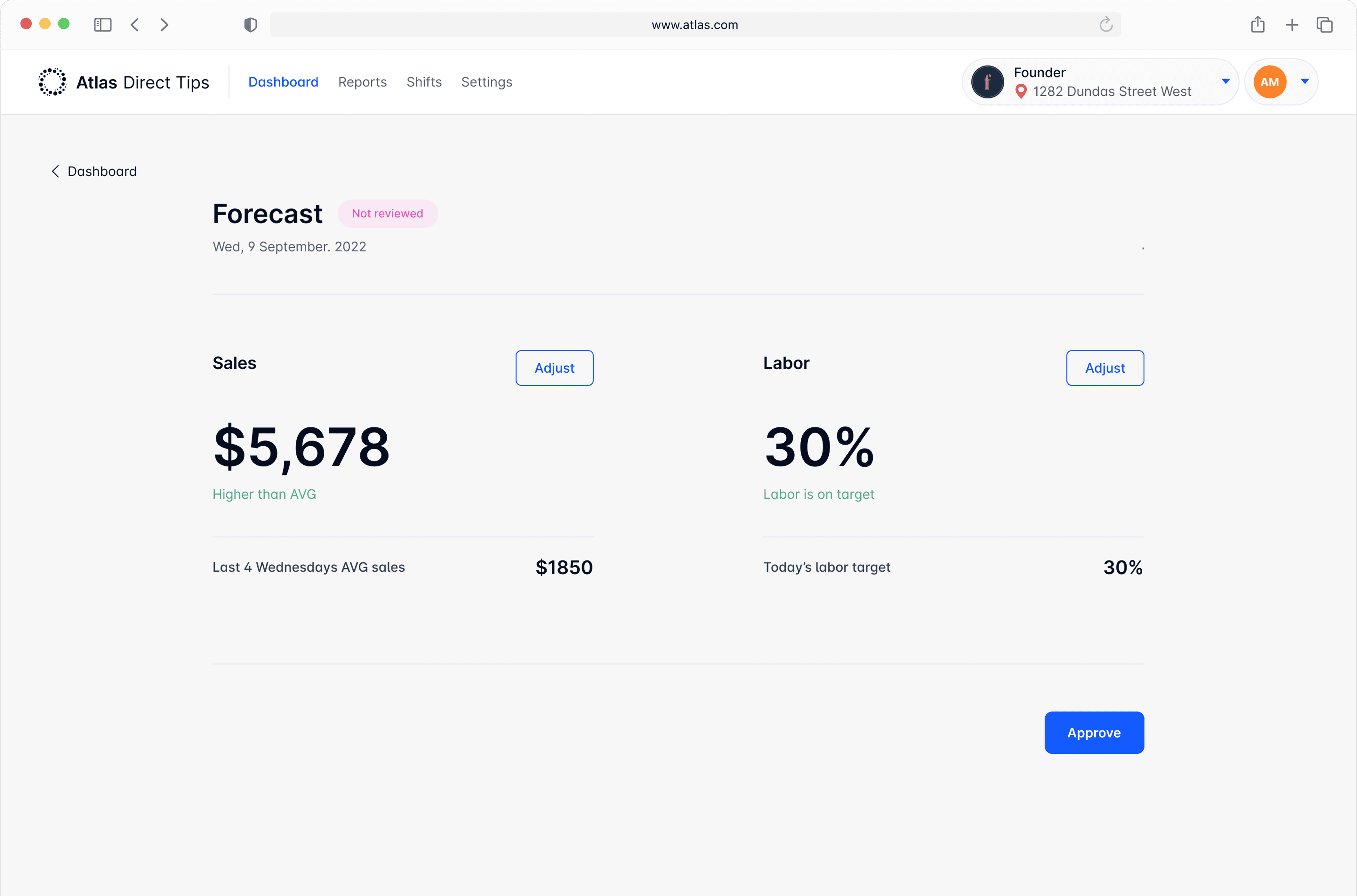
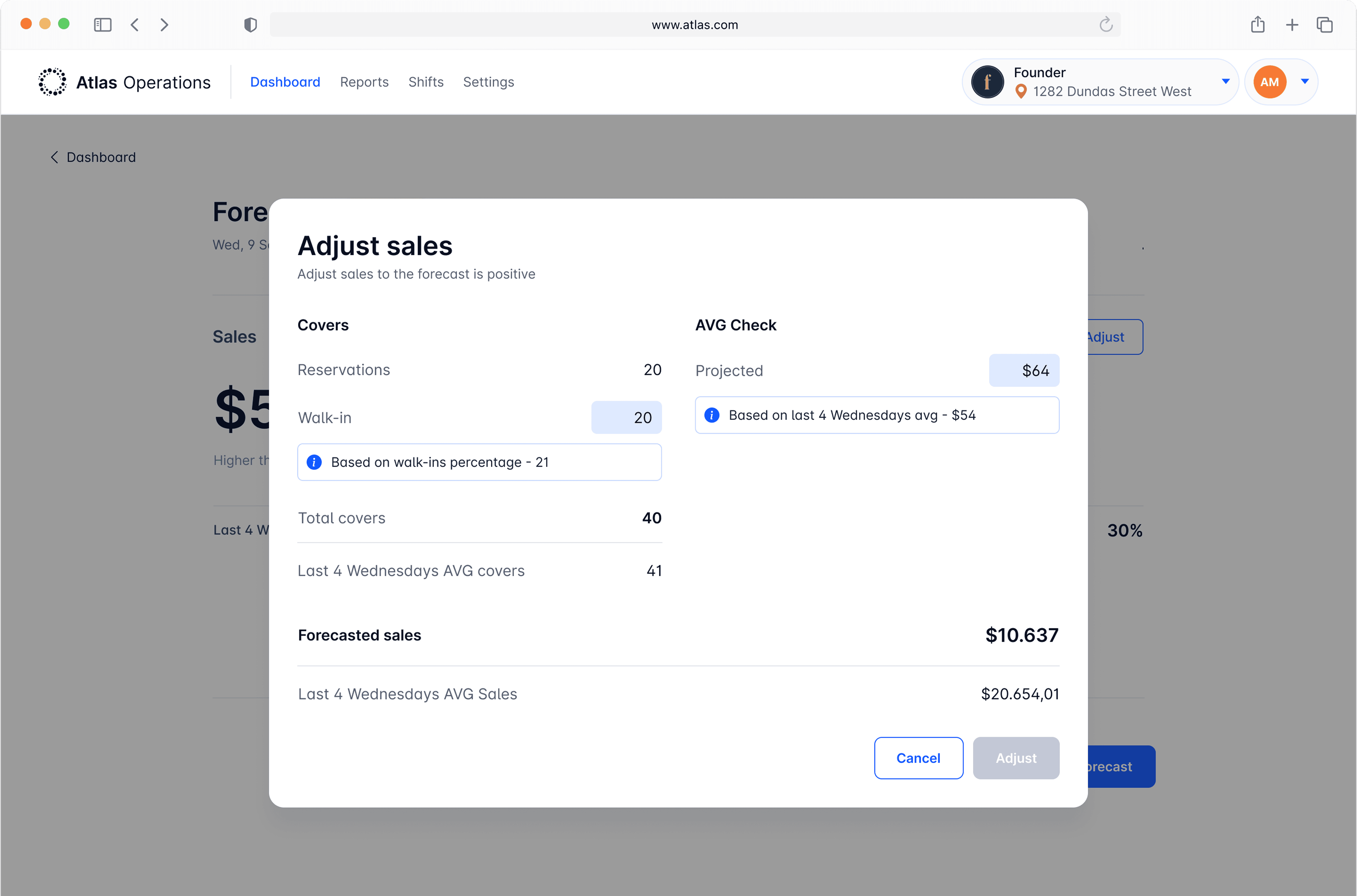
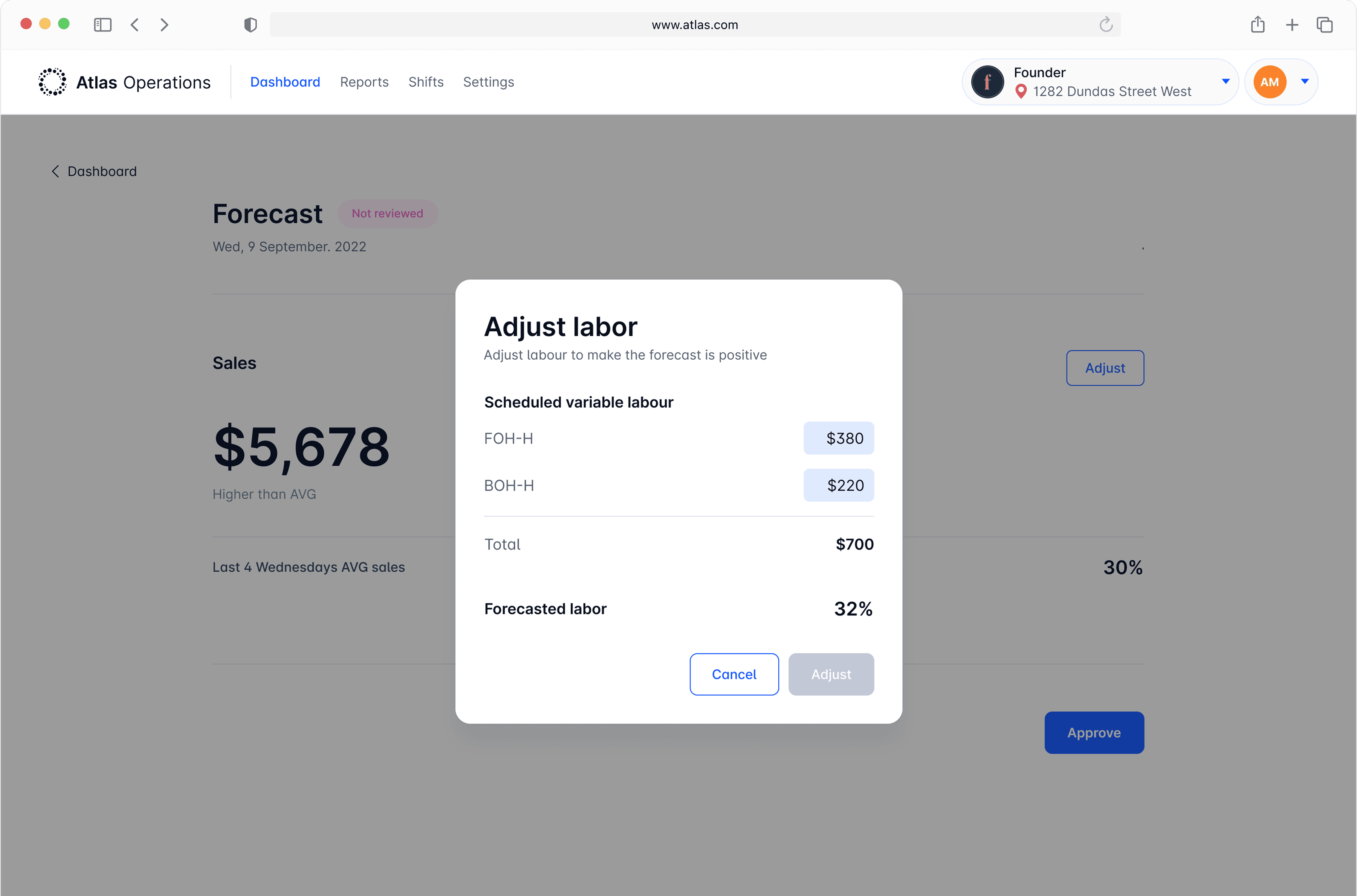
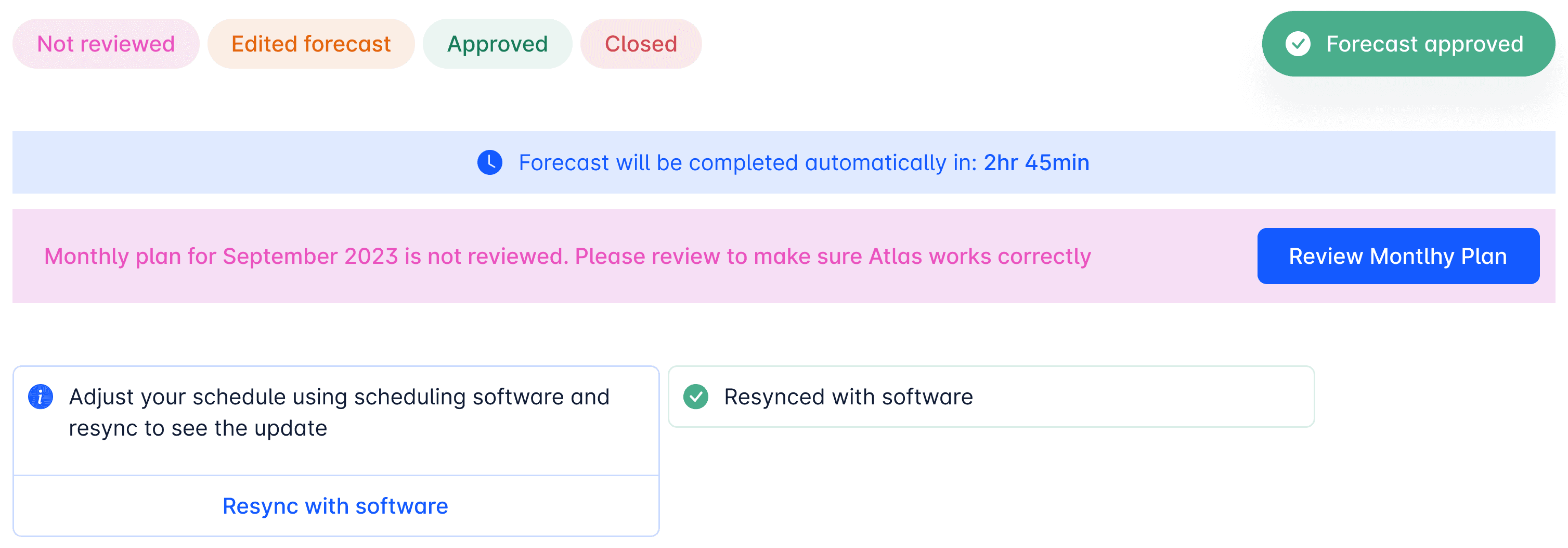
1. Complete the forecast (Pre Shift)
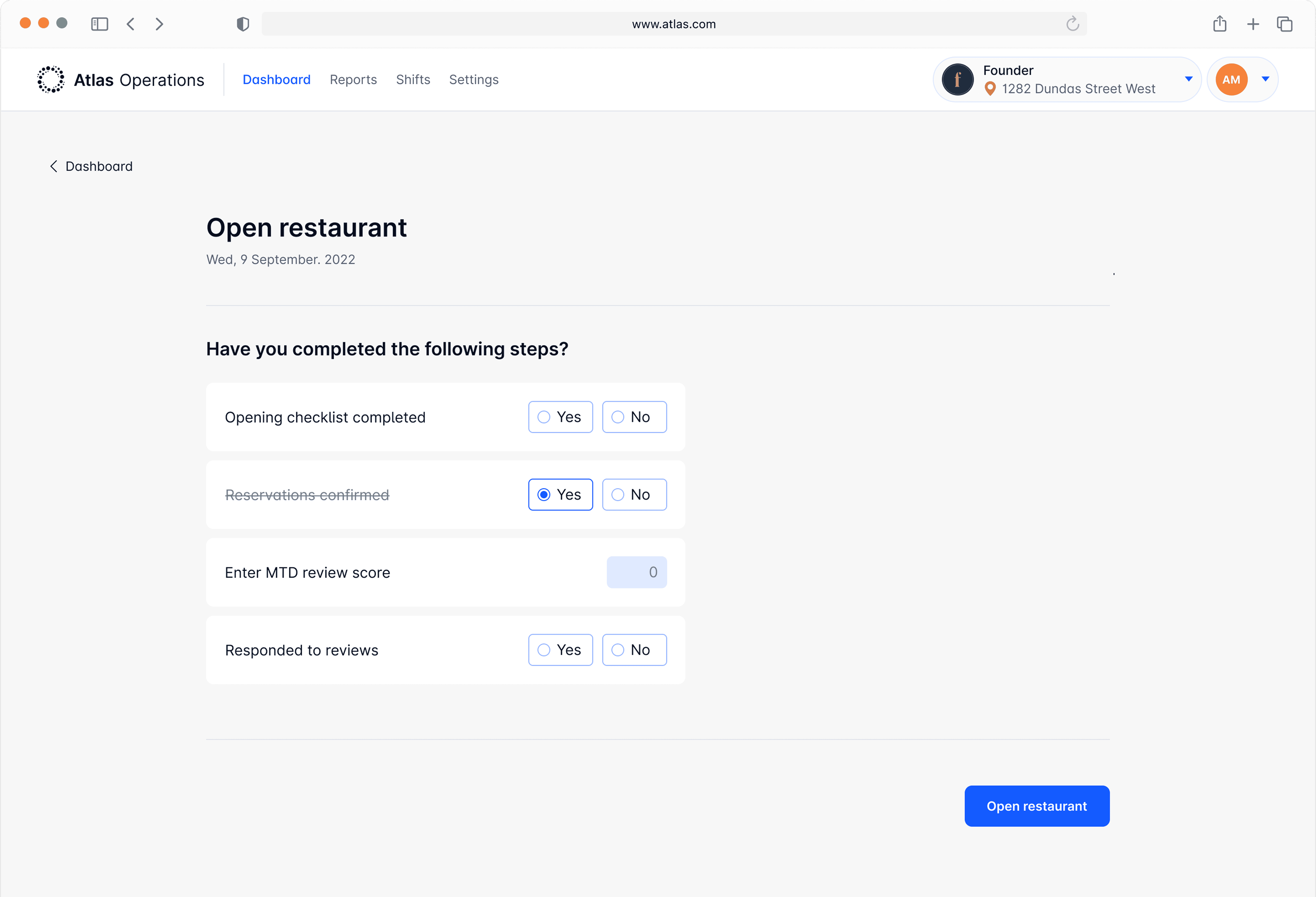
2. Open the shift
3. Close the restaurant
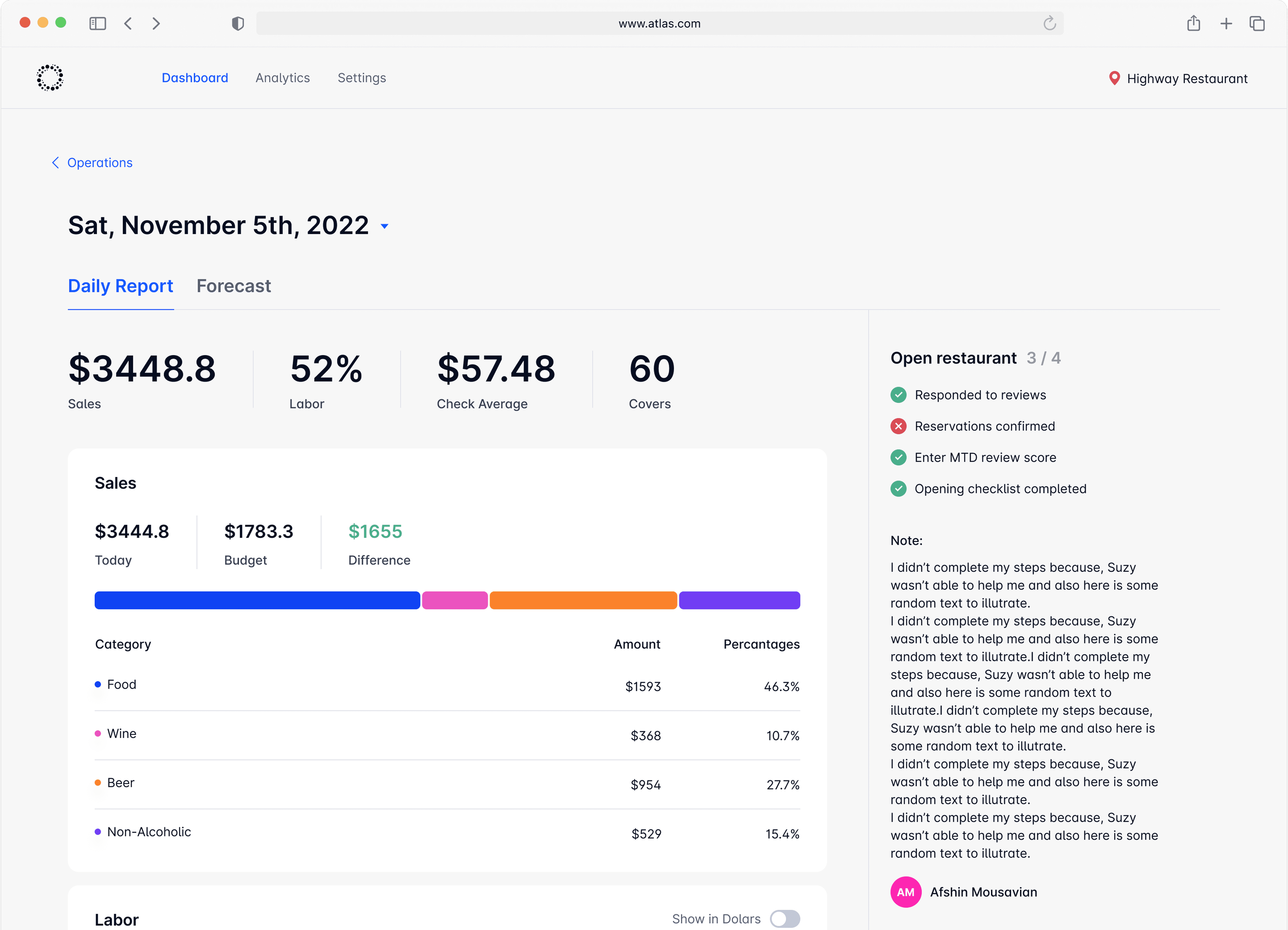
Once these core activities are completed, a daily report is generated.
Designer Note
I designed the components to help managers make timely, goal-oriented decisions in their time-sensitive workflows.
At the end of each day, Atlas generates a report that offers users a comprehensive summary of the day's performance.
3.3 Reports & Data visualization
John
Owner
Ashley
Manager
ATLAS's report generation gives business owners clear insights, enabling informed decisions and budget optimization.
Designer Note
The main challenge was presenting diverse data in a clear and navigable way, so I set a system of chart types to simplify complex data for easy understanding:
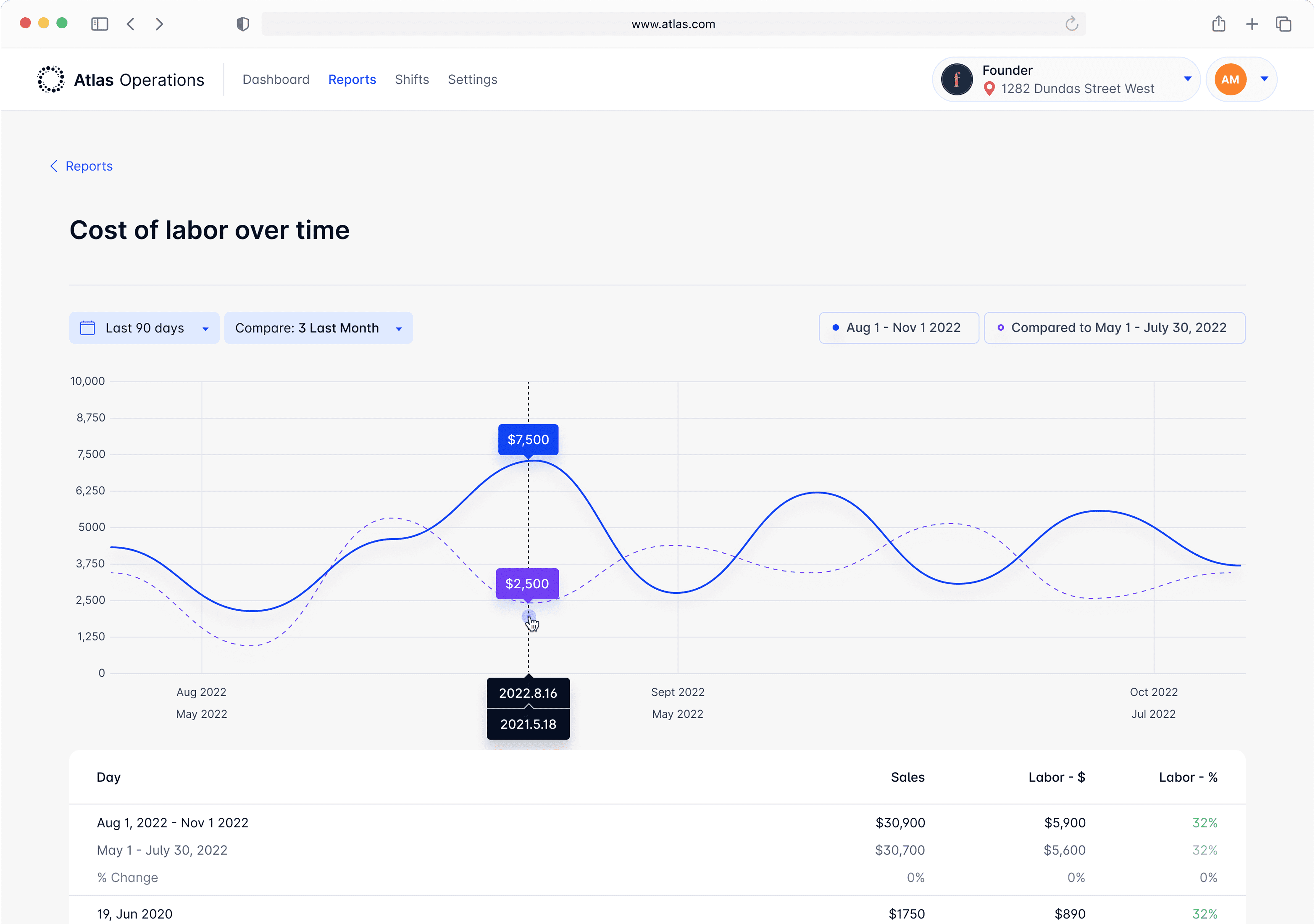
3.3.1 Line Chart (Multiple entities)
3.3.2 Line Chart (Singular entity)
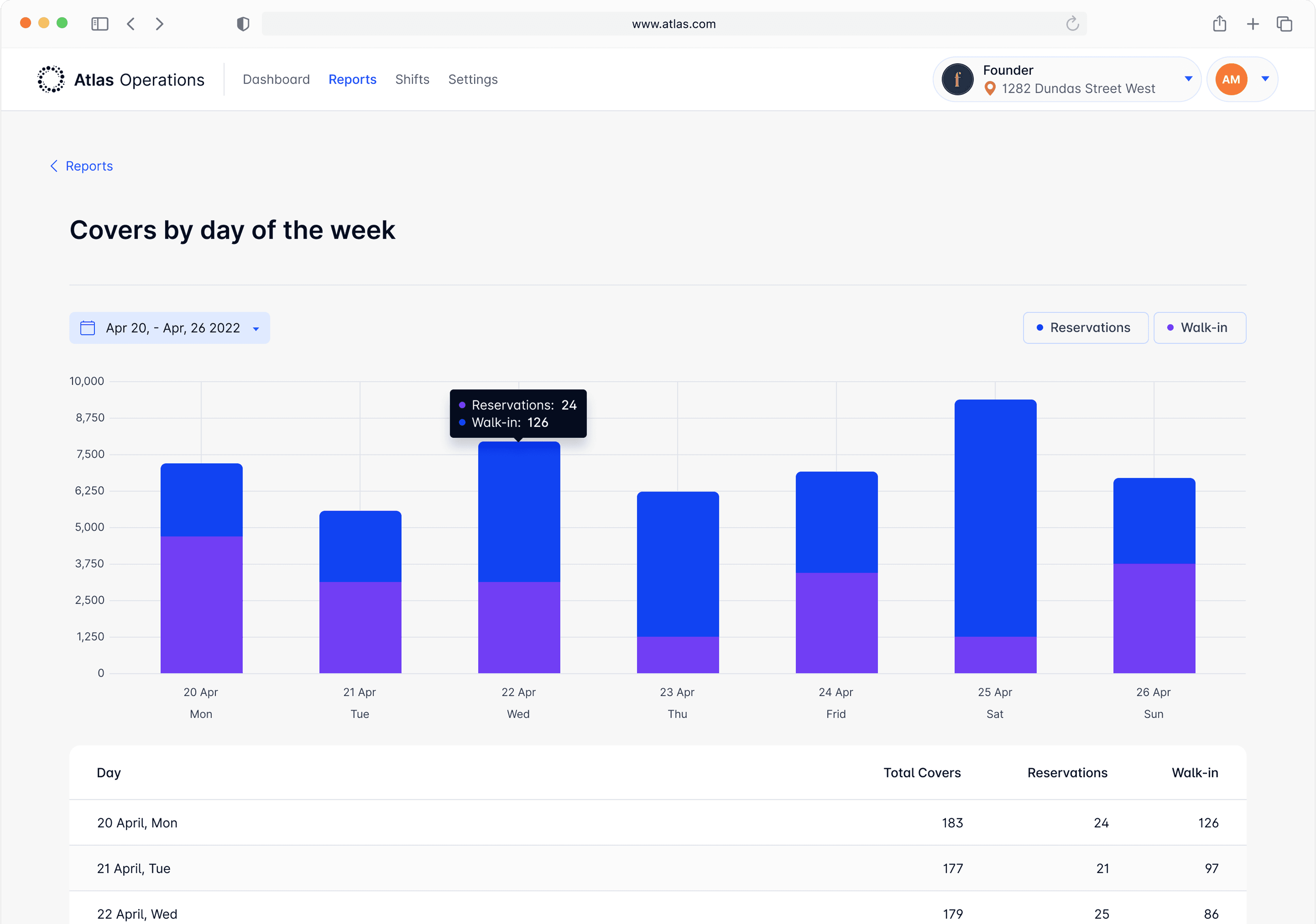
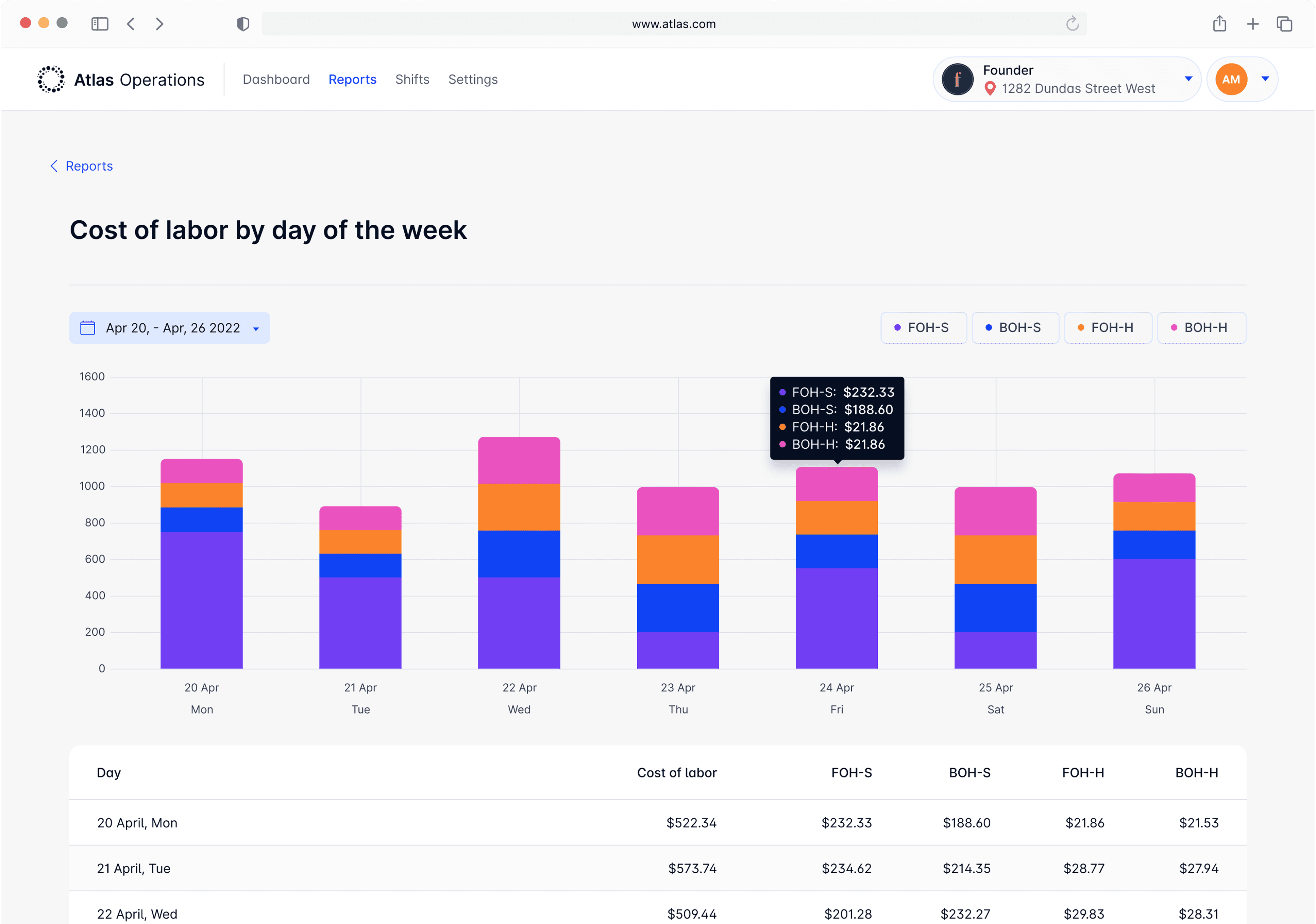
3.3.3 Vertical Bars (Weekly)
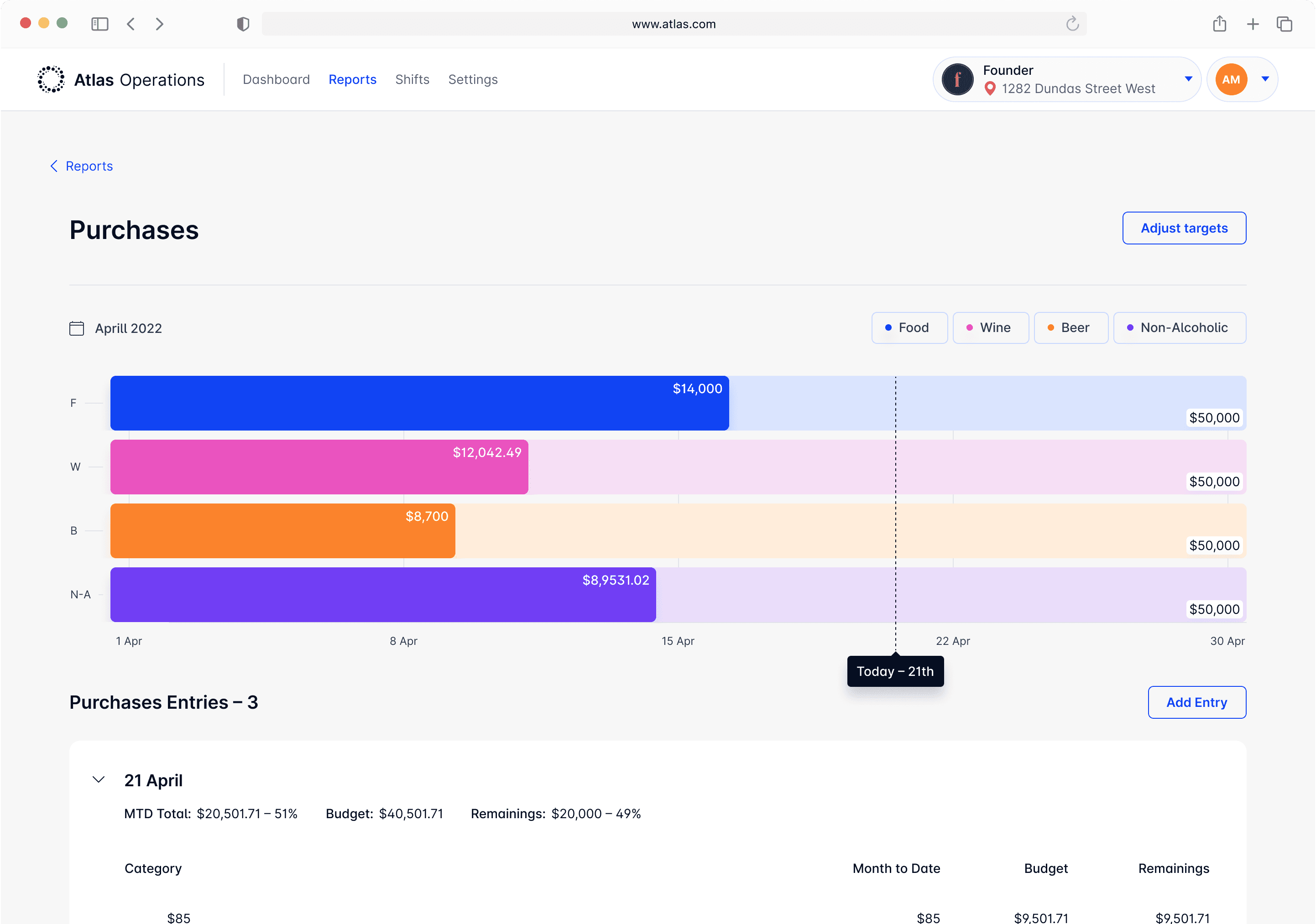
3.3.4 Horizontal Bar Chart (Target)
3.3.1 Line Chart (Multiple entities)
I chose line charts to compare entities over time, as they offer a clear and easy-to-digest comparison.
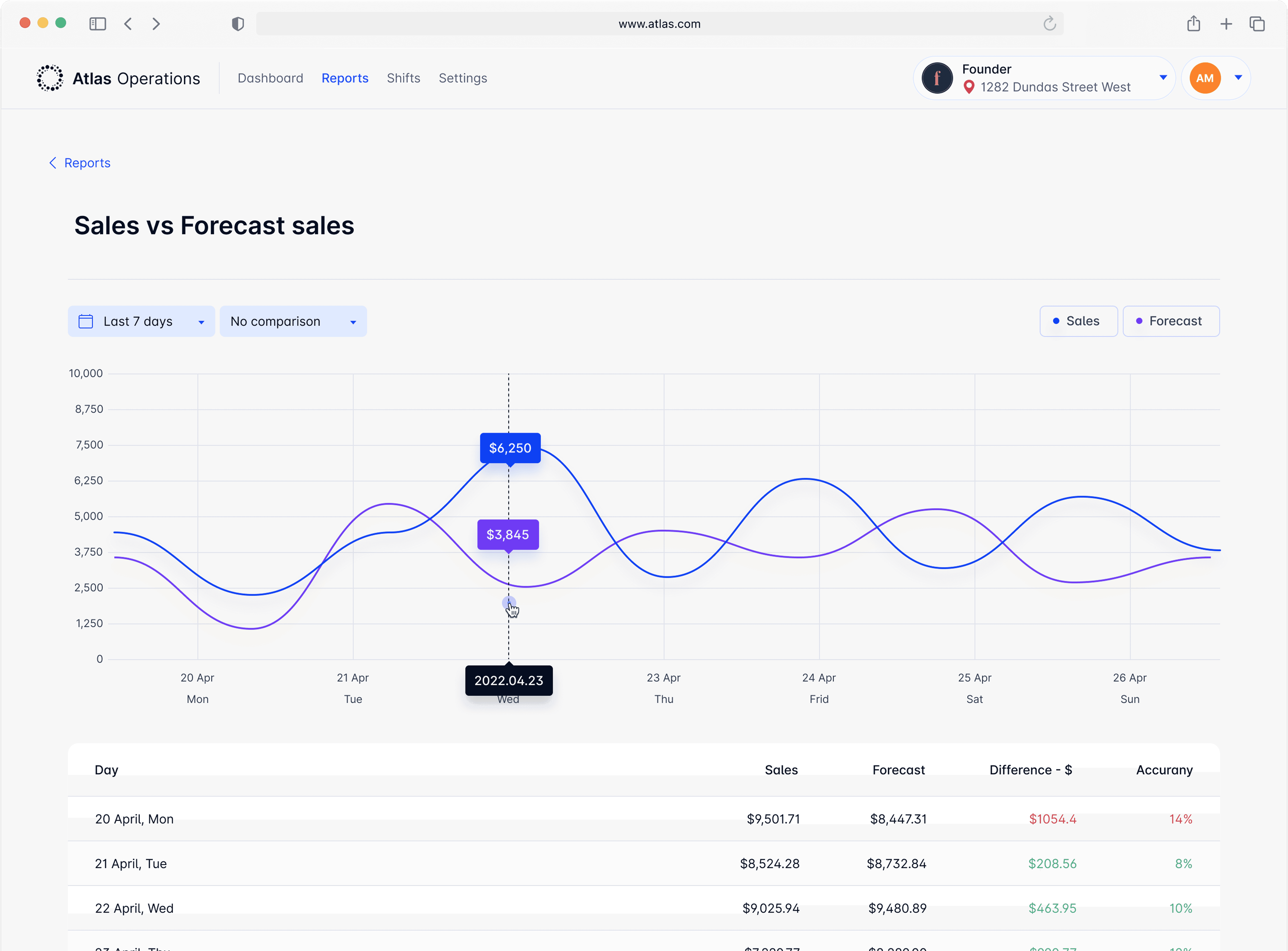
3.3.2 Line Chart (Singular entity)
Same line chart is used for singular entity
3.3.3 Vertical Bars (Weekly)
Weekly graphs use bar charts to display daily data. The daily bars can include multiple variables within a single day to provide more detailed insights, such as visitors or labor costs.
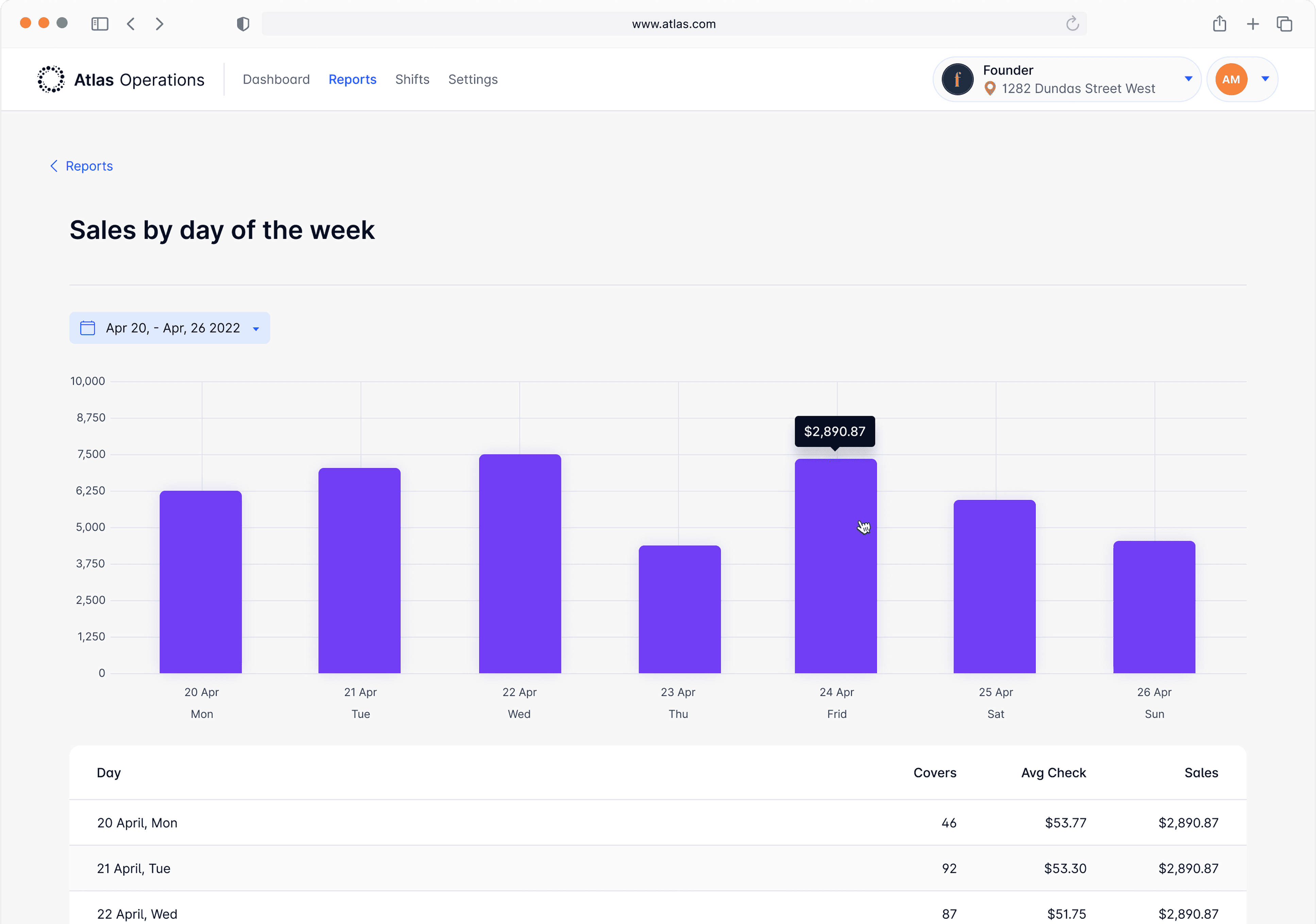
Fig 3.2.3 - Vertical Bars, 1 value, UI Design
3.3.4 Horizontal Bar Chart (Target)
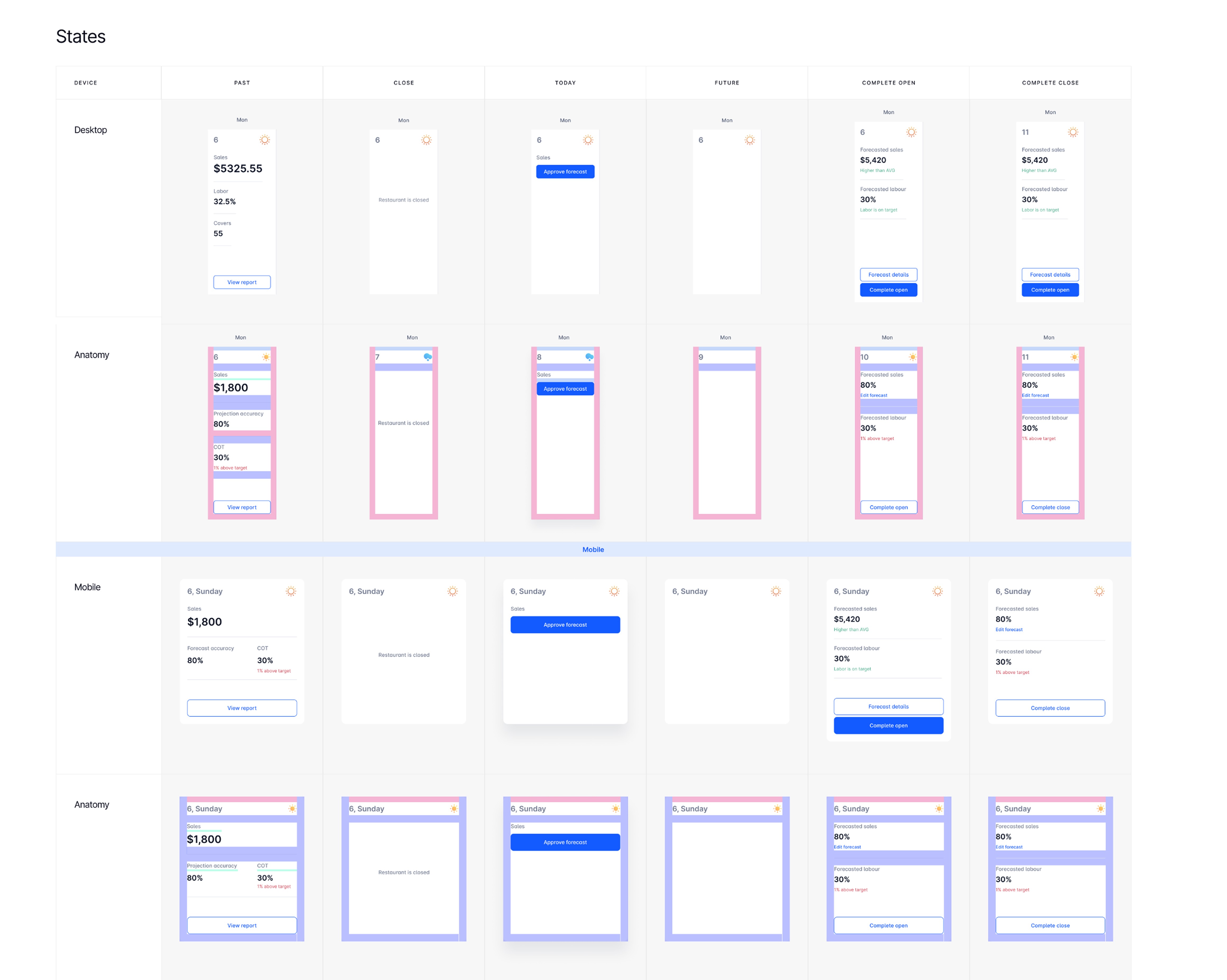
4.1 Design System
All components were documented and put into the design system to ensure proper implementation and reduce development time.
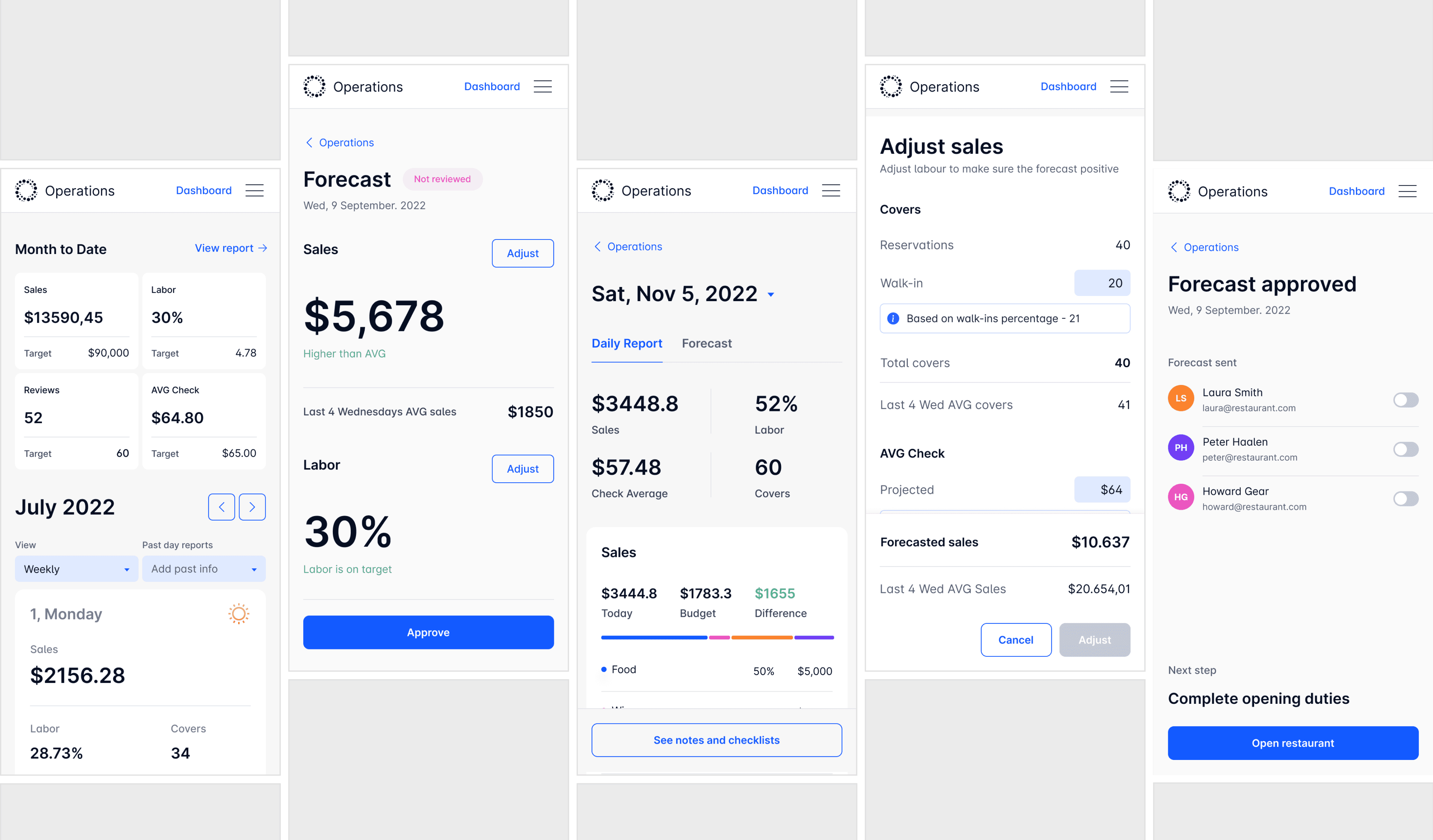
4.2 Mobile Adaptation
Although Atlas was initially designed for desktop, many screens were optimized for mobile to ensure accessibility across all platforms.
06. Outcome & Recognition
ATLAS operations is used by restaurants across Canada to boost profitability. Here's what clients say:
Atlas RMS's ability to allow us and our young management team to stay on top of our key metrics has been a game changer for labour and cost management. The extra time we gained from Atlas’ automation allows us to focus on sales driving ideas and staff training rather than being stuck on a laptop poring over data!

Chemong Lodge

Fox & Fiddle

Founder

Florette
07. My Learnings
Communicate as much as possible
Good design is fundamentally about clear communication — whether it’s between you and stakeholders, between designers and developers, or between the interface and its users. The more aligned everyone is, the better the outcome.
It's okay not to know - just ask
No one knows everything, and there’s no shame in that. Asking questions is how we learn and grow. When everyone is working toward a shared goal, you’re part of the team, not alone.
Design isn’t “yours”
You may have created the design, but ultimately it belongs to the people who will use it. Stay open to feedback and don’t take criticism personally. It’s part of creating something better.